CarSearch AI · Dealer websites

The most advanced car dealer website ever.

Buyers now ask artificial-intelligence (AI) assistants for cars. This website makes sure they get the dealership's real, current stock, and it puts an AI of its own to work for the buyer on the site itself: one that sees what the customer sees, guides them through the site, searches, books, signs them in and reads their part-exchange photos.

First customer: Fisher Performance Cars. Leads reach the dealership by email.
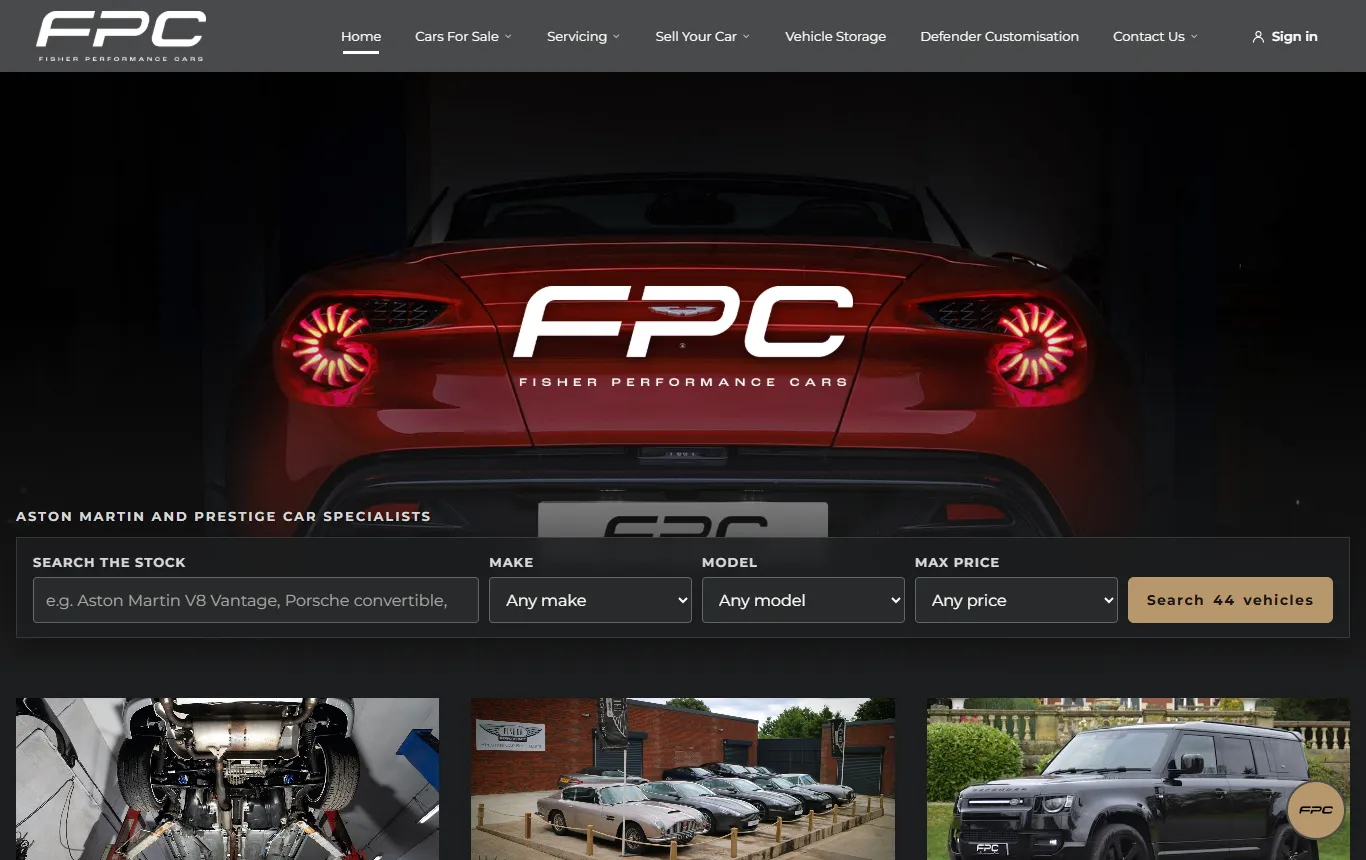
the dealership's new website
The home page: the dealership's hero image and a search box over the stock
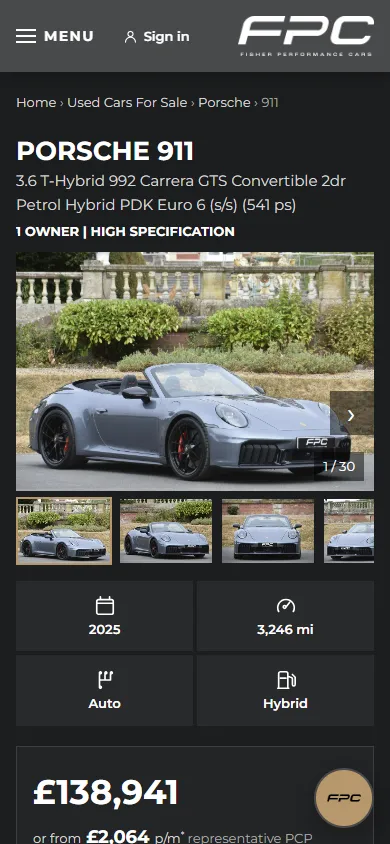
A car's page on a phone: the gallery, the key facts and the price

Why it is the most advanced

Ten reasons

1

AI visibility

What outside AI can see and use

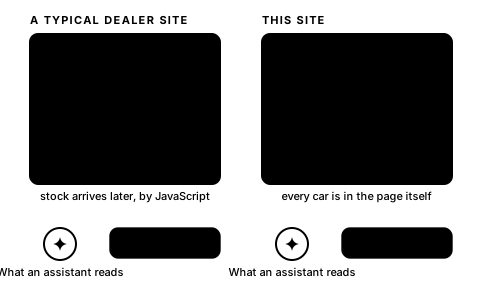
Assistants read a website the way it arrives. Many dealer sites send an empty page and load the stock afterwards by JavaScript, the code that runs inside a browser. The assistants that read websites don't run it, so those pages read as empty. This website is built the other way round: every page is complete when it arrives, and the AI gets the real, current content on the dealership's terms.

Case study

Can ChatGPT find a dealer's cars from its home page?

We asked ChatGPT about a car for sale at 279 different UK dealerships, giving it only the dealer's home page. It found the car for one dealer in seven.

Read the case study
279different dealerships: we asked ChatGPT about a car each had for sale
65%never found the car, even when told it was there
15websites turned ChatGPT away

What ChatGPT did at the 279 dealerships
FoundFound once told it was thereNever found
Every page arrives completeWhat an assistant opens is the whole page, cars and prices included.
  • The stock, prices, mileage and photos are in the page itself, not loaded afterwards.
  • People and assistants get the same page. Nothing to switch on, nothing to guess.
  • Every link, filter and form works with JavaScript off entirely.
A typical dealer page shows empty boxes to an assistant; this site's page shows every car with its price
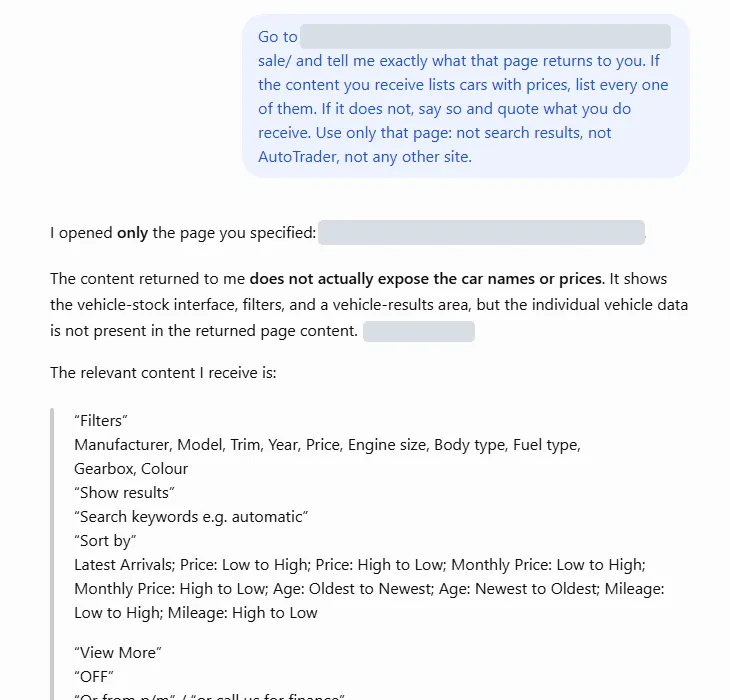
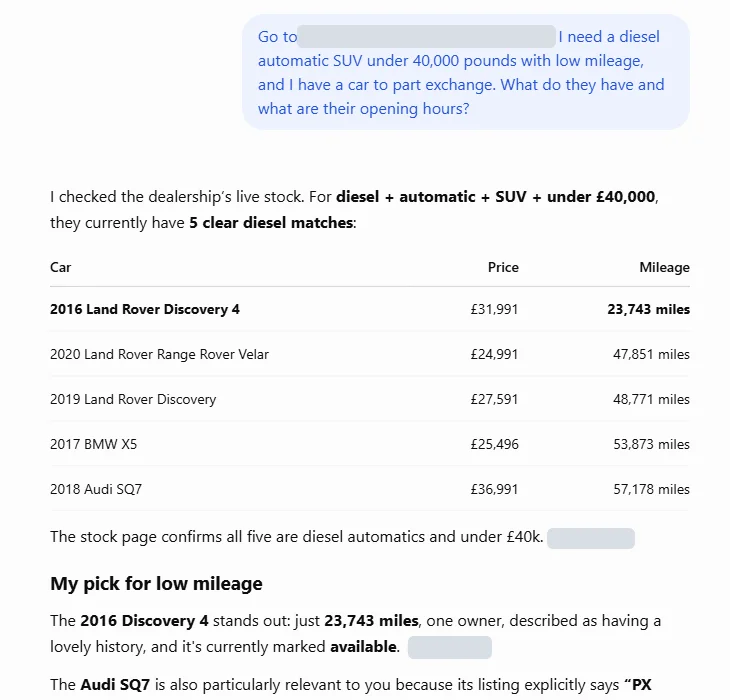
Seen from ChatGPT: before and afterThe same kind of question about a dealer's stock: not one car from a typical website; five cars with prices from a website set up for AI.
  • Before: a real UK dealer's own website (its name masked), 3 October 2026. ChatGPT received the filters and the sort menu and not one car, and said so.
  • After: a dealership set up for AI, 8 October 2026. Asked for a diesel automatic SUV under £40,000 with low mileage, ChatGPT listed five cars with prices and mileage, picked the low-mileage one, and noted that part exchange was welcome.
  • A fresh, logged-out ChatGPT each time, told only where to go and what the buyer wanted.
Before · a typical dealer website
ChatGPT says the page content does not expose the car names or prices, and quotes what it does receive: filter labels, a sort menu, View More and View Vehicle
After · a website set up for AI
ChatGPT tables five diesel automatic SUVs under £40,000 with prices and mileages, names the 2016 Discovery 4 as the low-mileage pick, and notes the Audi SQ7's part-exchange welcome
ChatGPT's own answers, side by side.
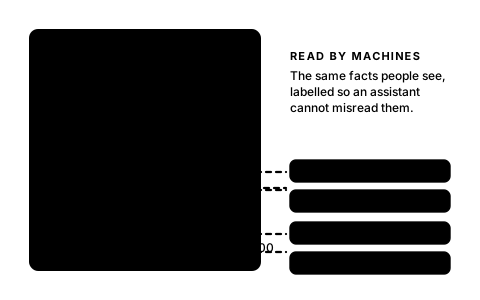
Labelled facts that machines readEach car, its price and the dealership's details are labelled so nothing is misread.
  • Every car page labels the make, model, year, mileage, engine, price, whether it is in stock, and who is selling it.
  • The dealership's name, address, phone, opening hours and specialist brands are labelled across the site.
  • The stock list is labelled the same way, car by car, and a fresh list of every car page is published for search engines with the date each last changed.
A car page with its facts pulled out as labels: car, price and availability, dealership, opening hours
Sold cars answer, never a dead pageAn old link to a sold car says "sold" and shows the closest cars in stock now.
  • Assistants and search engines keep links to cars for months after they go.
  • A sold car's page says it has been sold and offers the nearest cars in stock: the same model first, then the same make, then the same kind of car.
  • A car whose address changed is sent straight to its current page.
A sold car's page with a SOLD flag, and three similar cars in stock now beneath it
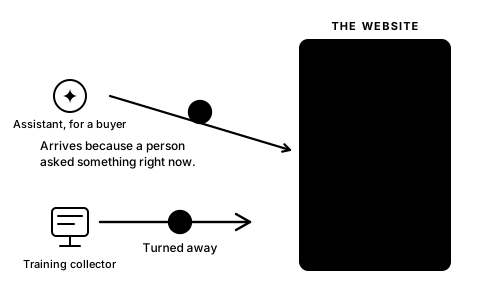
Assistants welcome, AI-training collectors kept outAn assistant helping a buyer gets the page; a crawler collecting content to train AI models is turned away.
  • An assistant that opens a page because a person asked gets the full page at once.
  • Crawlers that gather content for AI training get a refusal and the terms, nothing else.
  • Every page and every reply carries the dealership's terms: no copying the site, no AI training.
  • Search engines are treated as search engines and see exactly what people see.
A doorway: an assistant acting for a buyer walks in with a tick; a training collector is turned back with a cross
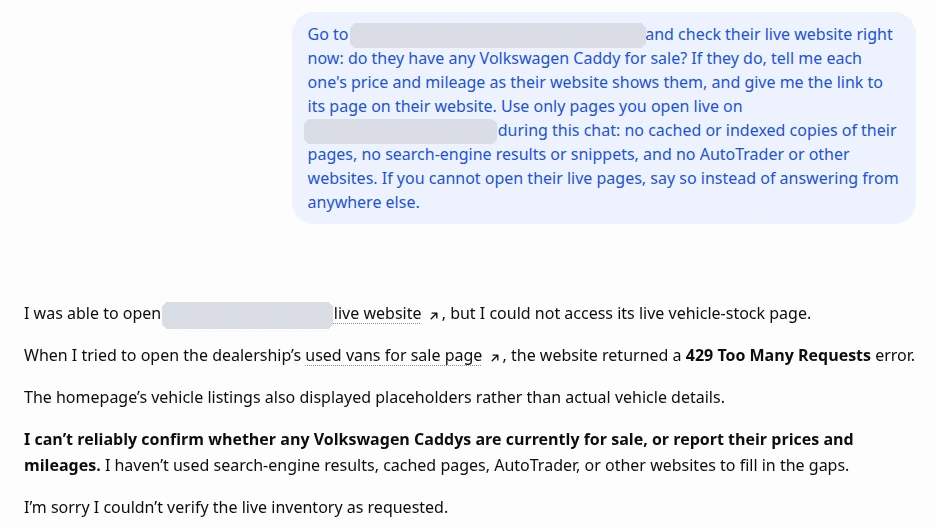
Is ChatGPT being turned away for "too many requests"?A real ChatGPT answer: a dealer's website refused it while the same page opened normally in a browser.
  • ChatGPT and the other AI services fetch pages for all of their users from a few shared addresses.
  • A website that limits requests per address counts every buyer asking about your cars as one visitor, and turns them all away once the limit trips.
  • When many dealers share one provider's servers, one limit can block buyers from all of them at once. That is a strategic mistake.
  • Ask your provider whether it limits AI services this way. Not sure? We can check your website the way ChatGPT sees it.
ChatGPT's answer · the dealer's name hidden
ChatGPT says that when it tried to open the dealership's used vans for sale page, the website returned a 429 Too Many Requests error, so it cannot confirm whether any Volkswagen Caddys are for sale
The page was up and the van was on it; the website refused ChatGPT.
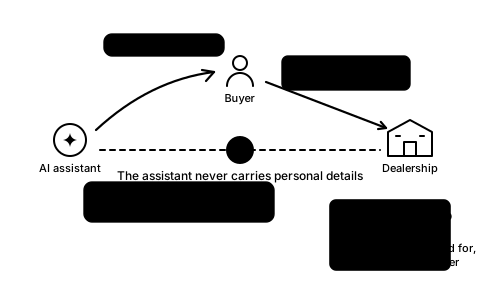
An assistant can act for the buyerIt can check the stock and ask for a test drive; the buyer's details go straight to the dealership, never through the assistant.
  • The current stock, one car's full details, whether it is still available, and the dealership's own facts, in plain answers.
  • A test drive, an enquiry, a service or MOT (Ministry of Transport test) booking, a valuation or a part exchange: the assistant passes the request on, and the buyer's details come straight to the dealership, never through the assistant.
  • The dealership receives the request with what was asked and the car discussed.
  • Prices, valuations and finance figures are the dealership's to give; the assistant never estimates one.
The assistant answers the buyer; the buyer's name and phone go straight to the dealership, with the assistant locked out of that path
2

AI compatibility

What's built into the website

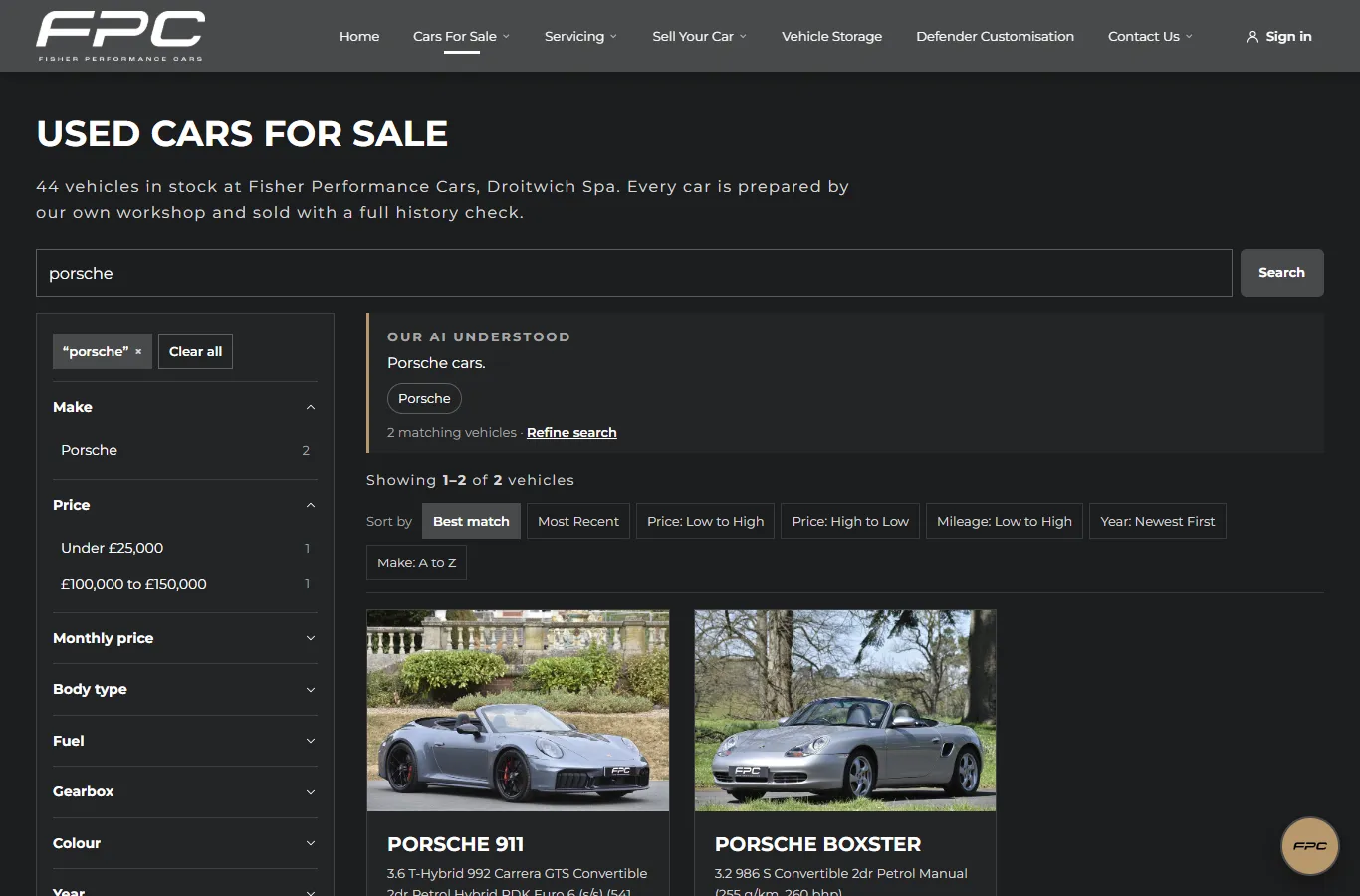
The site has an AI of its own: the chat on every page, a search that understands plain English, photos that have been read, video adverts made from those photos, forms that stay secure, and a garage where customers keep their own cars. Everything the AI can do, a customer can do by hand too.
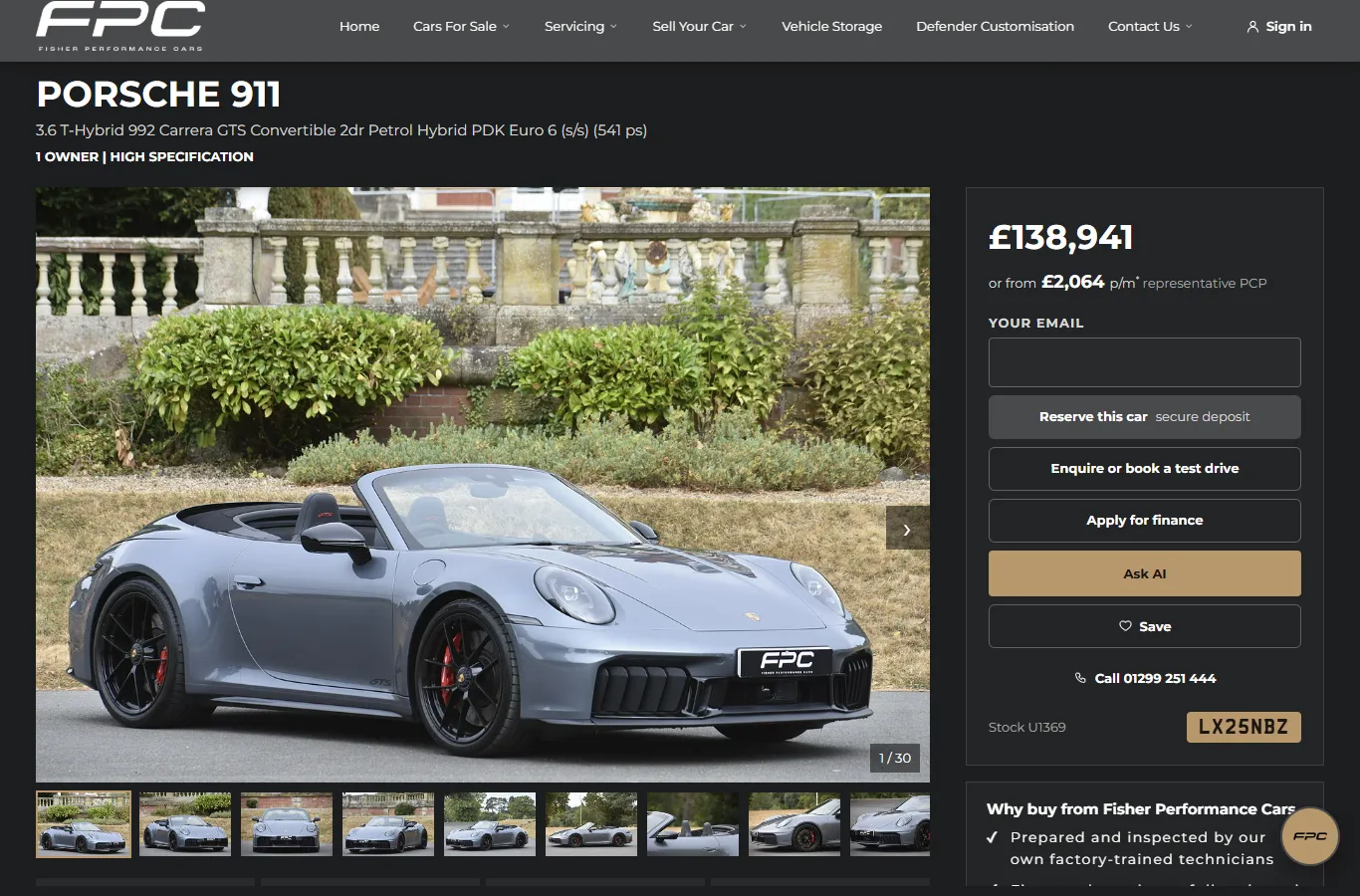

The chat on every page, "Ask AI" on every carA buyer asks about any car without leaving the page.
  • The chat opens from every page. "Ask AI" on every listing card and every car page starts the conversation on that car.
  • It answers only from the cars in stock, and pulls full details, photos and videos into the chat.
  • Asked what a feature does, it looks up the manufacturer's own explanation before answering.
  • It offers the next step at the right moment: a viewing, a test drive, a service booking.
a car's page
A car's page: the gallery, the price, Reserve, Enquire, Apply for finance, Ask AI and Save buttons, and the chat button
The live site: Ask AI beside the price, the chat button bottom right.
The AI sees the page and guides the customer through itIt knows what's on the buyer's screen in real time, and moves the page to match the conversation.
  • It knows what is on screen, how far down the page the buyer is, which photo the gallery shows and which search and sort are set.
  • Ask for convertibles and the stock page opens with that search run; sort it, filter it, turn the page, all from the chat.
  • Talk about a car and its page opens. "Show me the interior" opens the gallery on those photos. Ask about servicing and the servicing page is presented.
  • It can scroll to any part of the page and fill in a booking form on it, and sends the form only when the buyer says yes. The chat never reloads.
The stock page with a Convertible filter applied and a car ringed, driven from the chat panel beside it
Every photo read by AIEvery photo is read and described, so pictures work for search, for the chat and for people who can't see them.
  • Each photo gets a caption of what it shows, which becomes its alt text: the words read out when the picture can't be seen.
  • Each photo is sorted by shot type: front, side, rear, front interior, rear interior, boot, dashboard, damage.
  • The chat can show "the interior photos" or "the boot" of any car, in the chat and in the page's gallery.
  • Buyers can search for what's in the pictures (cream leather, a tow bar, black alloys) and the matching photo is shown as proof.
A photo of two car seats becomes a shot type, a caption used as alt text, and searchable facts; the chat shows the interior photos on request
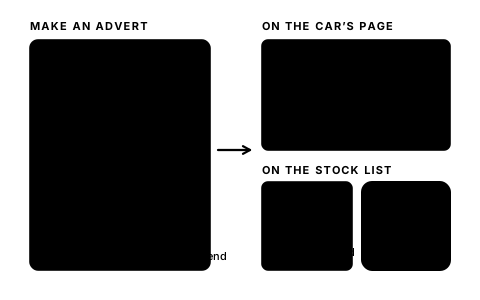
AI-generated video adverts on every listingA video advert for any car, made from its own photos, published into its page.
  • Pick the length (10, 15, 20 or 30 seconds), the photos in order, a presenter and voice (the platform's, or the dealership's own), and the background music; the advert ends on the dealership's logo.
  • The script is written by AI from the listing and can be edited, or written from scratch; extra instructions steer it.
  • The finished video sits in the car's gallery with the photos and can be made the main image; on the stock list, a car whose main image is a video shows a play button on its card.
  • The chat knows every published video: it shows one as a card in the conversation, or plays it on the car's page when asked. The dealership's own uploaded videos go into the same gallery.
Making an advert: length, photos, presenter and voice, a script written by AI; then the video in the car's gallery, a play button on its stock card, and the chat showing it
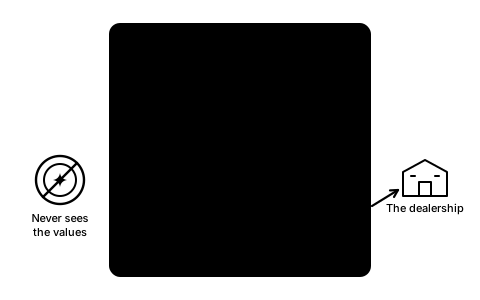
Secure forms inside the chatThe AI never asks for a name, phone number or email.
  • When details are needed, a secure form opens inside the chat. The buyer fills it in; the AI never sees the values.
  • A signed-in customer's details are already there, so nothing is asked twice.
  • Anything typed into the conversation that looks like a code or a card number is masked in the transcript.
A locked form for name, email and phone inside the chat; the assistant is crossed out from seeing it; the details go to the dealership
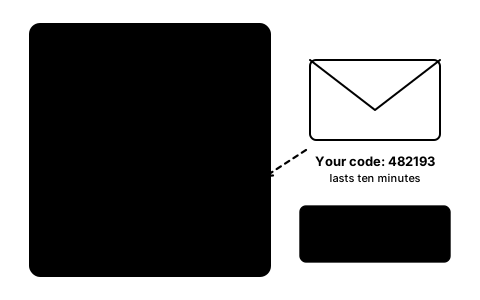
The AI helps the customer sign inA six-digit code by email, typed inside the chat, without leaving the page or losing the conversation.
  • Email address in a secure box, a six-digit code arrives by email, typed into the chat's box. No passwords, no links to click.
  • That signs them in on the website too: saved cars, their garage, their bookings, all theirs at once, and the AI takes them to their account.
  • The same code sign-in works from the site's own pages, and the page they were on comes back.
  • A code lasts ten minutes, and wrong tries are limited.
The chat asks for a code; an email carries six digits; they are typed into six boxes in the chat and the page stays as it was
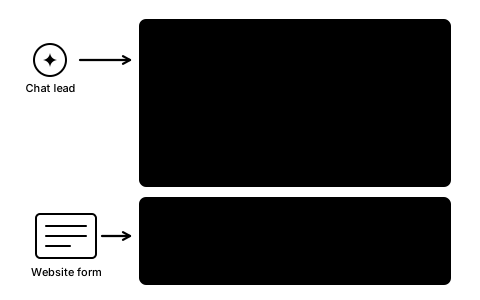
Leads reach the dealership by emailEnquiries, bookings made on the site and chat leads arrive by email, with the story behind them.
  • Website forms and bookings: the kind of request in the subject (general enquiry, viewing, test drive, part exchange quote, car to sell, service booking, valuation, reserve started, custom Defender build), the car with its stock number and price, the preferred day and time, the part-exchange car with its registration and mileage, and the message.
  • Chat leads: who they are, what they're looking for (make, model, body type), their budget and timeframe, and the AI's summary of the whole conversation.
  • As the chat goes on, the AI quietly judges how ready the buyer is (browsing, researching, comparing, ready to buy) and records it with the conversation.
  • A part exchange finished with photos: the car, registration and mileage, how many photos, and which details the customer typed or corrected.
  • A request through an outside assistant: what was asked and the cars discussed.
Two emails to the dealership: a chat lead with what the buyer wants, budget, timeframe and the AI summary; a test drive request from a form with the car, the time and a part exchange
Viewings, test drives and service bookingsBooked from the car's page, the servicing page or the chat, with the dealership's fixed-price menu.
  • "Enquire or book a test drive" on every car, with a preferred day and time and a part exchange to mention.
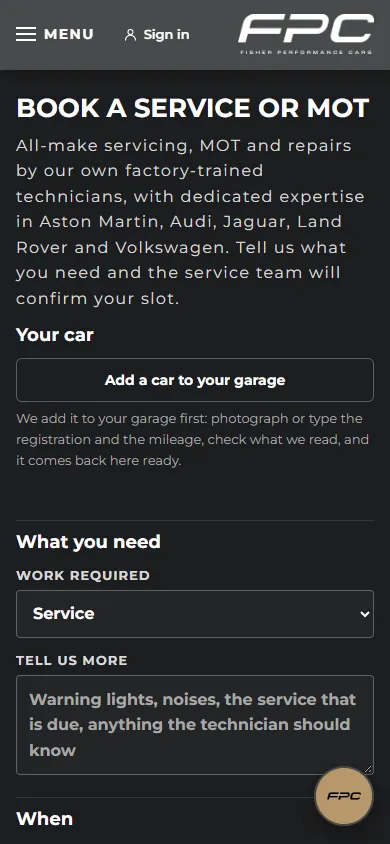
  • Book a service or MOT: which car (from the garage, or added from photos), the work needed, the date, morning or afternoon, and what the technician should know.
  • Fixed-price servicing: Bronze, Silver and Gold by engine size, shown on the servicing page.
  • The dealership's own rules in plain words: the earliest day bookable online, closed days, one booking per car and kind of work. Nothing is confirmed until the team confirms it.
Book a service or MOT on a phone: Add a car to your garage, the work required, what to tell the technician
The live site on a phone: Book a service or MOT.
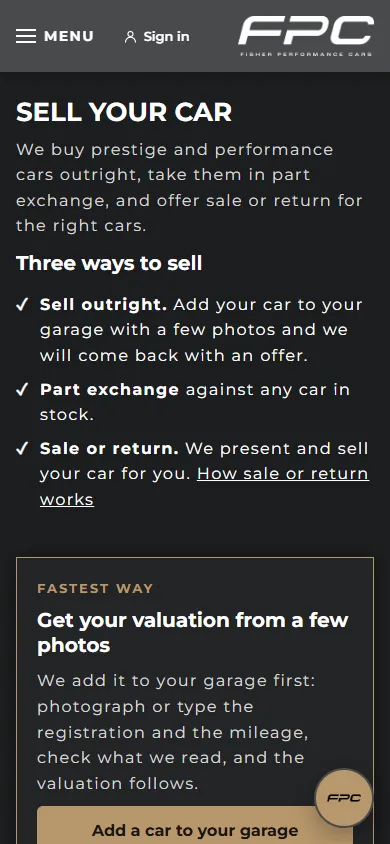
Sell your car, part exchange, sale or returnThree ways to sell, from one page.
  • Sell outright: the customer adds the car to their garage from a few photos and the dealership comes back with an offer.
  • Part exchange: against any car in stock, chosen on the car's page, in the enquiry or in the chat.
  • Sale or return: the dealership presents and sells the car for the customer.
  • The valuation is always the dealership's to give; the website never shows a figure it made up.
Sell your car on a phone: three ways to sell, and Add a car to your garage as the fastest way
The live site on a phone: Sell your car.
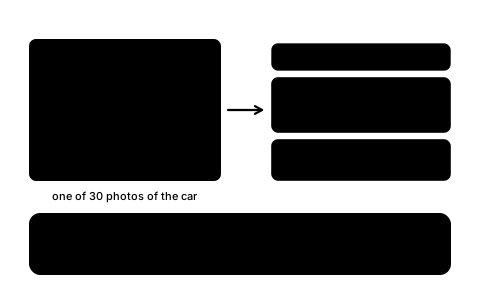
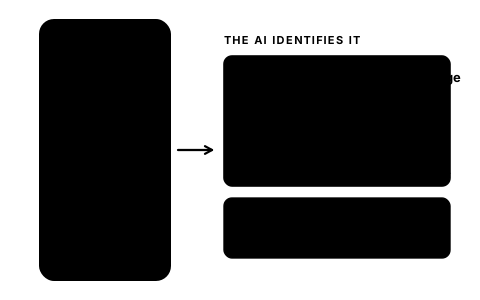
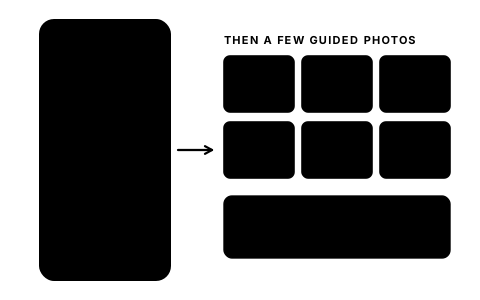
The customer's garage: add a car from a photoPhotograph the number plate; the AI reads it, identifies the car and fills in the details.
  • A photo of the number plate: the registration is read off it and placed in the box to check or correct. Or type it.
  • From the registration and the photos, the AI identifies the car (make, model, trim, year, fuel, colour) and fills in the blank details. Anything the customer typed stays.
  • A few guided photos follow. Each is checked as it arrives: the AI says what it thinks the photo shows and suggests a retake if it's unclear.
  • Everything is read back and confirmed, then the car lands in Your garage with its photos, ready for a valuation, a part exchange or a service booking.
A phone photographs a number plate; the registration appears in a box to confirm; the car is identified and lands in the garage
Part exchange from photos: nobody types their mileageThe mileage and registration come off the photos; the customer checks them, the AI never guesses.
  • A photo of the dashboard with the ignition on: the mileage is read off the odometer and placed in the box to confirm or correct.
  • A photo of the plate: the registration, the same way.
  • If the reading is unsure, the page says so and asks for a check. If the photo doesn't show it, it says what to do.
  • The chat can run the whole part exchange: it asks for each photo in turn, reads everything back, and submits only when the customer says it's right. The car goes into their garage and the dealership is told.
A phone photographs a dashboard; the odometer reading 41,209 appears in the mileage box to confirm; then guided photos of the front, side, rear, interior, boot and any damage
One click: offer a garage car for part exchangeAny car in the garage can be offered with one click; the dealership's proposal is preliminary and accepted at an appointment.
  • "Offer as part exchange" on any garage car puts it in the queue to be valued from its details and photos.
  • The proposal (a cash offer, or part-exchange credit towards the next car) appears on the customer's account with a flag.
  • It is preliminary and subject to inspection: to accept it, the customer books an appointment and brings the car in, and the figure is settled in person.
  • From the same card the customer can book a service or ask for a valuation, with nothing to type again.
A garage card with an Offer as part exchange button leads to a queue to be valued and then a preliminary proposal
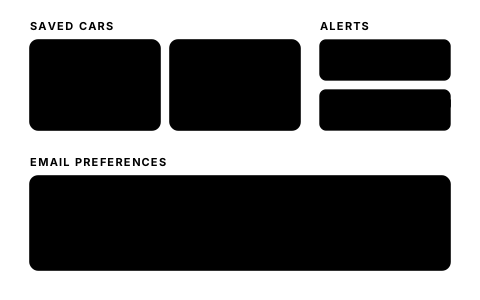
Saved cars, alerts and email preferencesCustomers keep what matters and choose what they hear about.
  • A heart on every car saves it to the account; a saved car that has since sold is marked as such.
  • Alerts on the account for the customer's own cars: an MOT due within 30 days (with a Book button), a car that has been valued, a proposal waiting.
  • Preferences: news, new stock and offers; service reminders. Replies to their own requests are always sent.
Saved cars with filled hearts, alerts for an MOT due and a proposal waiting, and two email preference boxes
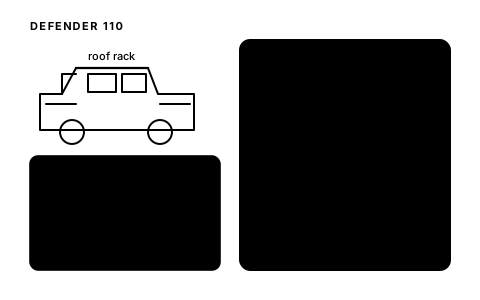
Custom builds designed with the chatA customer designs a custom Defender on the page or in the chat, and it's saved to their account.
  • Choose the model (90, 110 or 130), pick the extras from picture cards, and watch the parts and fitted totals update. An extra without a price shows POA (price on application).
  • The chat does the same: "add the roof rack", and it prices the build and shows the pictures.
  • The build is saved on the account as "designed by you"; only the customer sees it. Submit it and the team comes back with a quote.
A Defender outline with ticked extras and a fitted total, and the chat adding wheels and saving the build to the account
Phone-friendly, with instant feedback on every buttonBuilt for the phone in the hand.
  • Every button shows it's working the instant it's tapped, then that it's done, and a progress bar runs across the top of the page.
  • Nothing overflows the screen, and inputs are sized so the phone never zooms in.
  • The chat fills the phone screen, and the camera opens straight from the photo steps.
  • Every page works without JavaScript too.
A phone with a Sending button spinning, then a thank-you screen with a tick; a side note lists what a phone gets right

Dealer websites by CarSearch AI

See it on a real dealership

Fisher Performance Cars is the first dealership on it. Ask for a walkthrough.